Giving out your personal phone number to any person or company that asks for it is risky, yet most people do it. Why? Because they’re not aware of all the great virtual phone number options that are available to use. Here are the best virtual phone number apps whether you want more privacy or just want something for account verification.

Key Takeaways
- Virtual phone number services let you call, text and receive supported verification messages without giving the other party your personal number. Some services reject VoIP numbers, so account verification is not guaranteed.
- My top picks are MySudo, Hushed and Cloaked. They offer different ways to separate your calls, messages and online identities.
- Using a separate number helps limit unwanted contact and exposure of your primary number. It does not make you untraceable or prevent identity theft by itself.
- For businesses, services such as Grasshopper and Line2 offer business calling and routing features. Compare the specific plan if you need extensions, integrations or team access.
I’ve put together a list of the best virtual phone number apps you may use to receive verification codes for account authentication to keep things private and minimize annoyance.
MySudo is my primary recommendation because its higher paid plans give me multiple numbers to keep different parts of my life separate. Hushed and Cloaked are also services I use, and I still keep a ported number with Google Voice.
Continue reading my top picks for keeping your personal number private when creating online accounts.
Top 3 Virtual Phone Number Apps



You’ll come across many more useful virtual number apps as you scroll down, including those that can help you receive SMS messages online.
Best Virtual Phone Number Companies Compared and Reviewed
If you’ve been active online, you’ve probably encountered phone verification on services such as Microsoft, Craigslist or dating apps. The requirements differ by platform and account, but the privacy concern is the same: you may not want to hand over your everyday number.
Thankfully, a virtual number can let you register without disclosing your personal mobile number when the receiving platform accepts that type of number.
Before apps, real-world burner phones used to be disposable prepaid handsets that users would use momentarily before discarding them once their number was discovered.
Fortunately, obtaining temp phone numbers is now much easier, thanks to the best virtual number apps that I’ve compared and reviewed below, which include:
*Skype was officially shut down by Microsoft in May 2025 and has been removed from this list.
MySudo | My Primary Recommendation
MySudo is the app I recommend first when you want multiple numbers for different parts of your life. I use it myself and keep an active account. Having separate identities is more useful to me than treating every number as something to throw away after one code.
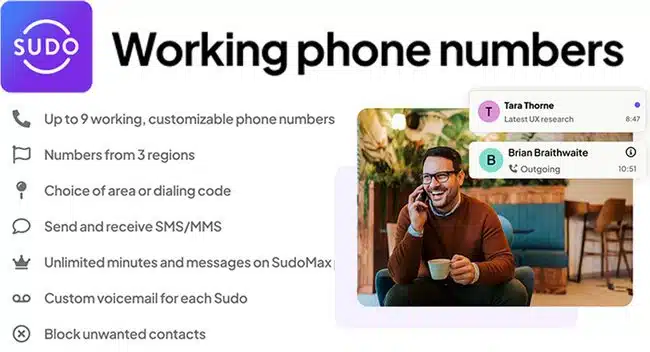
Each Sudo identity can combine a number and email address. Use one for shopping, another for contacts you don’t know well, and another for a separate project. Keep any number that remains attached to an important account.
Cost and limits: SudoGo includes one phone number; SudoPro includes three and SudoMax nine. SudoGo is $1.99/month or $19.99/year in the US. Number entitlements and resets are plan-specific; buying a reset does not increase the number of simultaneous active lines.
MySudo supports calls, messages and email, with end-to-end encryption for Sudo-to-Sudo communications. Ordinary calls/SMS to outside numbers are different. Like other VoIP services, it cannot guarantee acceptance by every verification system.
Hushed Virtual Phone Number
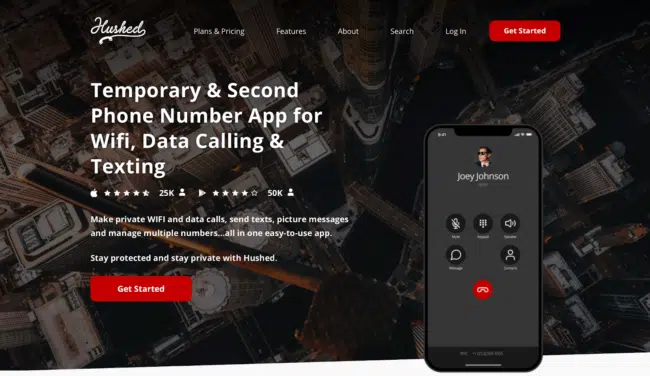
Hushed is a paid service that makes it extremely simple for anyone to acquire a virtual phone number from numerous countries, including the US, UK, Canada, and Puerto Rico.
I’m a fan of its app for Android and iOS devices because of its dark and intuitive UI.
Thanks to Hushed, I’ve been able to receive verification codes for US services using a virtual phone number. You can dispose of a number when you no longer need it, but first remove it from every account that could require it for login or recovery.
Besides account verification, Hushed numbers can make and receive calls/messages. The other party sees your Hushed number rather than your personal mobile number; that separation is useful privacy, not complete anonymity.
It also offers multiple numbers, call forwarding, call routing, SMS auto-reply, voicemail and call history. Check the current app and plan for device access and integrations rather than assuming every older integration is still supported.
Hushed occasionally offers a three-day trial on iOS, but it is not always available. Check the offer in the app; a free download or trial does not establish that the account you want to verify will accept its number.
A paid US number is worth considering for supported services, but Hushed cannot control a third party’s verification restrictions.
Cost and limits: Hushed lists a US/Canada one-line unlimited subscription at $6.99/month or $66.99/year. Its prepaid local plans run for 30, 90 or 365 days with different allowances. Check current plans and payment options before buying; neither a payment method nor a temporary number guarantees anonymity.
Cloaked: Creating a Virtual Identity
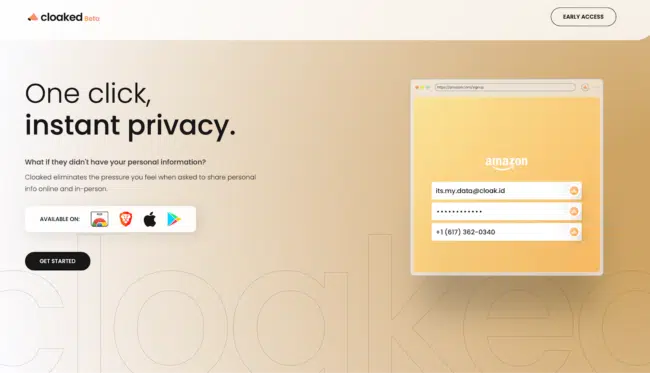
Cloaked is a privacy-centric company that helps users gain control of their data with Cloaked identities. It’s not just limited to virtual phone numbers; you can also create unlimited email addresses in a few clicks.
With Cloaked, you have the ability to:
- Receive verification messages at a Cloaked number or email where the service accepts them, without handing that service your usual contact details.
- Share a disposable phone number or email in-person, whether you’re meeting someone new (i.e. dating!) or signing up for a rewards program.
- Check all texts on an iOS and Android devices. It even has an extension for Chrome and Brave browser to manage your phone numbers on an online dashboard.
Note: the web dashboard supports messaging and settings; calling uses the mobile app and phone routing.
Your identity inbox keeps the activity together, and optional forwarding sends messages to your own device. I particularly like creating a different number for each contact or relationship. You can limit unwanted communications through identity settings instead of asking every sender to stop. Cloaked numbers still face VoIP restrictions, and inactive numbers may be released.
In addition to burner phone numbers, Cloaked also allows you to create email aliases for better privacy.
Google Voice | A Free Personal Option
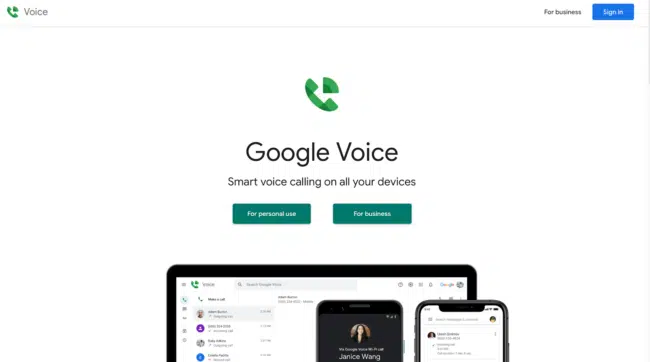
I still use Google Voice with a number I ported in. For a personal US number, the lack of an ongoing subscription fee is a real advantage. Verification acceptance varies, just as it does with other VoIP numbers.
Google Voice is attached to a Google account, and getting a new consumer number can require a qualifying linked US number. It keeps your everyday number from the people you contact, but it does not separate your activity from Google.
Porting is different from obtaining a new number: check eligibility and any one-time porting fee before moving your mobile line. Free ongoing service does not mean every call or port is free.
My view is neutral: Google Voice is useful if you want a low-cost second number and are comfortable with Google. Avoid relying on Voice as the only recovery route for the same Google account you need to access it.
Cloud SIM (Moving to Call.com)
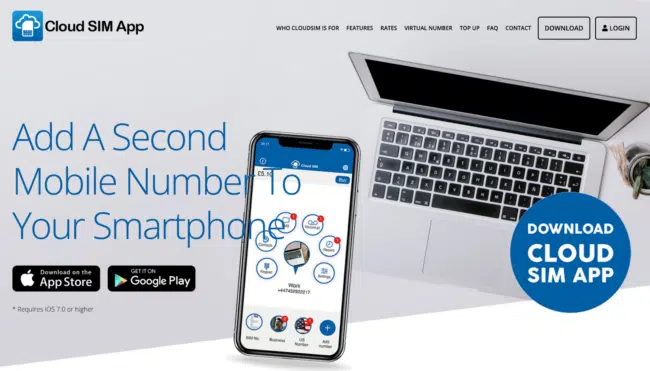
Need several numbers for different parts of your life? Cloud SIM offered numbers in countries including the US, UK, Poland, Canada and France. Cloud SIM is moving to Call.com, which provides a migration path for existing numbers and credit balances.
I wasn’t a fan of Cloud SIM’s circular-icon interface; it didn’t feel as intuitive as the other apps here. The successor is Call.com, with apps for phones and access across devices, so use its current interface rather than looking for the old Cloud SIM screens.
For account verification, the important part is still whether the receiving service accepts the number and delivers the code. A new app name does not remove VoIP restrictions.
One aspect of Cloud SIM I didn’t like was paying by minute or message. Call.com lets you buy numbers, credit and bundles separately, so compare the allowance and total cost for the number you need.
Calls and messages to other Call.com users are free. For ordinary phone numbers, compare paid calling and SMS options before choosing it as a regular second line.
Check the current Call.com offer for any trial or introductory credit; don’t assume a Cloud SIM offer carries over.
CoverMe: Private Number, Messages & Vault
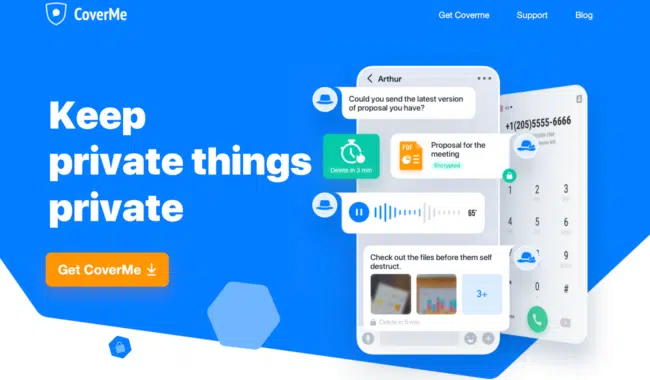
As the name suggests, CoverMe safeguards your privacy by offering disposable phone numbers for text messages and calls.
The app is free to download on iPhone and Android smartphones, but you’ll need to purchase a virtual number before you can verify your accounts or receive SMS online.
During my tests, verifying a Microsoft account with a US number took less than a couple of minutes. That is my experience, not a guarantee that Microsoft, Facebook, Bumble or another platform will accept every CoverMe number.
Also, if you’re as paranoid as me, CoverMe’s private messaging features include disappearing messages. Do not confuse in-app private messaging with ordinary SMS to someone using another service.
Another bonus feature of CoverMe is its safe vault that locks your private photos, videos, documents, notes, and passwords in the cloud.
One drawback is the cost if all you need is a verification number. I’d primarily consider it for its broader privacy tools. Ordinary calls and texts to outside phone numbers are not end-to-end encrypted by CoverMe.
Cost and limits: CoverMe lists several subscriptions and credit arrangements, including a Mini Private Call & Text plan at $7.99/month. Check the in-app price, included messages/minutes, renewal and number-expiry rules for your purchase; these plans are not interchangeable.
Talkatone Calling App
Talkatone offers a free US number for supported calling and texting, but free calling is not the same as free verification messages.
With this virtual number, you can call and SMS free from most US lines. This Talkatone number can also serve as your virtual business phone number, or when listing items on websites like Craigslist, signing up for dating services, etc.
Talkatone operates without a hitch on a wide variety of gadgets, including iOS, Android, and even iPod. Its iOS app’s simple and clean UI makes for simple navigation, which I like.
Cost and limits: Talkatone Plus costs $4.99/month and includes verification/short-code messages and keeping your number active through inactivity. A paid plan still cannot make a platform accept a VoIP number.
This makes Talkatone a terrific alternative, particularly for people looking to connect with friends and family from abroad, as it’s far less expensive than standard or landline calling.
Virtual Phone Number for Business
Most of these options are aimed at individuals who need a second number for calls, messages and verification where supported.
These virtual phone number applications are, therefore, quite useful in situations where you don’t want to disclose your actual phone number. Let’s say you meet a stranger who persists in taking your number or when you want to connect with buyers on eBay/Craigslist.
That said, a personal second-number app may not suit a business that needs an auto attendant, shared team access or particular CRM integrations.
Fortunately, the market is filled with virtual number solutions like Grasshopper and Line2 that come in handy for a complete business phone system. These are some great tools for acquiring virtual business phone numbers for managing clients and converting leads into business calls.
Why Use a Virtual Phone Number?
Here are some notable privacy benefits that you can achieve with a virtual phone number:
- Account Verification – Use a virtual number where a platform accepts it. Microsoft, Google, WhatsApp and dating services each set their own policies; never assume one successful test applies everywhere.
- Secondary Phone Number– Establish a barrier between your personal and professional lives by giving your coworkers a virtual number to reach you at.
- Control over notifications– Avoid getting bombarded with text notifications on your phone with a virtual phone number app.
- Reduce identity exposure – Keeping your primary number out of more databases can reduce exposure, but the provider may still hold account information and a virtual number does not prevent identity theft.
- Increased convenience and cost savings – An app-based number can cost less than a full extra mobile plan or business phone system. Calling over an internet connection can also help when overseas; check international rates and remember that mobile data or Wi-Fi still has a cost.
When You Need a Carrier-Backed Number
If a service rejects VoIP numbers, an extra mobile line with voice, SMS and Wi-Fi calling is worth considering. You’re paying for another phone line you may not use often, but it avoids the VoIP-number classification issue. It still cannot guarantee that every bank or app will accept the number.
Personally, I use Efani to keep an active US number while living overseas. You can read my full Efani review for why I chose it. Wi-Fi calling lets a compatible phone use that line over Wi-Fi where supported; enable it and confirm your carrier’s travel requirements before leaving.
A data-only travel eSIM is not a replacement for a voice/SMS line. Efani’s international-travel guidance distinguishes its underlying carrier options and calling arrangements. Keep control of any number tied to recovery, and set up an authenticator app where the account supports one.
How to Port Your Current Number to a 2nd Line
If your current mobile phone number is flooded with spam calls or texts, but you still want to keep it, you may use the Hushed app to convert it for free to a virtual number.
Hushed supports eligible active mobile and VoIP numbers from the US, UK and Canada. Landlines cannot currently be ported in. Keep the original service active while the transfer is processed.
You’ll need to contact the support team at [email protected] saying that you require the porting facility, and they will initiate the porting process.
According to Hushed’s porting instructions, a transfer can take up to 12 business days. Porting is free and includes a complimentary seven-day plan after completion. UK numbers need a PAC; US/Canadian numbers need account details, a port-out PIN and a matching name/address. Check renewal costs and account-recovery implications before moving your primary line.
FAQ: Virtual Phone Numbers
Let’s now answer some of the most frequently asked questions about virtual phone numbers.
Porting depends on the provider, country, number type and whether the number is still active. Calling and texting support does not guarantee delivery of short codes or account-verification messages. Ask the receiving provider to check eligibility first.
Choose a provider with numbers in the country you need, then select from its available area codes and numbers. Eligibility and identity requirements vary; not every provider offers every country.
Yes. You can use your usual mobile line and an app-based virtual number on the same compatible phone. Some providers also offer web access or forwarding. A carrier-backed SIM/eSIM line is a different option and must include voice/SMS, not just travel data.
Some services offer free ongoing personal calling and texting, including eligible US Google Voice accounts. Verification features, international calls or number porting can still cost extra. I use Google Voice, but MySudo is my main recommendation when I want several separate numbers.
Yes, some business-number providers offer toll-free numbers. That does not make them suitable for account verification. Check number availability, porting eligibility and SMS support with the provider before paying.
Wrapping Up!
There you have it, then—the complete list of excellent applications for Android and iOS that provide virtual phone numbers. Nobody likes to get a barrage of spam calls or messages, but they also don’t want to carry a second phone.
These apps can help you keep your personal number away from strangers, unwanted contacts and online forms. SMS verification depends on the platform, so keep a number you still need for login or recovery. Please share your own recommendations or experiences with virtual number apps in the comments below.