I’m generally skeptical of all VPNs, which I guess should be considered a good quality when doing critical reviews. PureVPN once caught my attention with its “fastest VPN ever” marketing. That line is no longer on its homepage, but the questions behind this PureVPN review haven’t changed: Is it fast enough, is it easy to use, and can you trust the company with your data?
Key Takeaways
- My experience with its desktop and mobile apps was generally positive. Features vary by platform and plan, including split tunneling, a kill switch and bundled privacy tools.
- PureVPN supports up to ten simultaneous connections and offers dedicated IP and port forwarding as paid add-ons.
- GZ Systems is registered in the British Virgin Islands. PureVPN says its team is distributed globally, including Pakistan; it also offers a no-log assessment on request and a public transparency report.
As a VPN provider that has been around since 2007, it’s possible to read a lot of different PureVPN reviews from the past two decades.
But things change, and getting up-to-date information can be important.
You’re likely doing your research to determine whether or not PureVPN lives up to its claims of privacy, security, and speed.
I get it.
In this review of PureVPN, we’re not only going to look at their apps and discuss their features, but we’re going to take a critical look at their marketing claims and their ownership.
Here’s what it will look like:
I’m confident you’ll get all your questions answered in this PureVPN review.
Let’s dive in!
Note: Some of the links in this article are affiliate links, which means that at no extra cost to you, I may be compensated if you choose to use one of the services listed. I only recommend what I personally have used, and I appreciate your support!
| Review | PureVPN |
| Summary | PureVPN offers user-friendly apps, but its 2017 logging controversy still matters. GZ Systems is registered in the BVI, and PureVPN now offers a no-log assessment on request and a public transparency report. Those are useful steps toward accountability, not a reason to stop asking questions. |
| Author | Josh Summers |
| Rating | 4.2 (out of 5) stars |
PureVPN offers user-friendly apps, but its 2017 logging controversy still matters. GZ Systems is registered in the BVI, and PureVPN now offers a no-log assessment on request and a public transparency report. Those are useful steps toward accountability, not a reason to stop asking questions. 4.2 (out of 5) stars
During the time that I’ve been able to personally use PureVPN, there are many questions that I’ve tried to answer.
- Is it easy to install and use?
- Is PureVPN safe? Does it offer the advertised security, privacy, and speed?
- What’s the difference between PureVPN and other VPN providers out there?
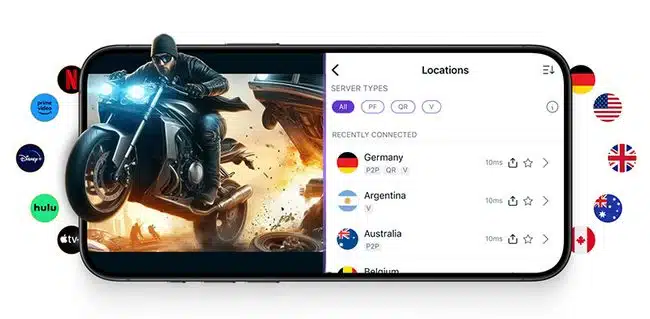
To start this review of PureVPN, let’s compare the various pros and cons of the features they offer.
Pros vs Cons | PureVPN Review
Because PureVPN is a company that has been around for more than a decade, they’ve had plenty of time to adapt to the changing needs of privacy-conscious consumers.
For this reason, a lot of what you’ll find on the “pros” side of this list is related to the user experience and available features.
However, there are a few things I don’t like about PureVPN that I’ll share briefly here and go into more detail below. As in my Ivacy VPN review, I want to understand who operates the service and what evidence supports its privacy promises.
PureVPN Pros
- Almost two decades of experience (est. 2007);
- 10 Simultaneous connections;
- Well-designed, user-friendly apps;
- Budget-friendly pricing (some of the cheapest on the market);
- Features like On-Demand VPN on supported platforms;
- They offer the WireGuard protocol as an option
- 31-day money back guarantee;
PureVPN Cons
- OpenVPN on macOS requires an extra extension-enabling step;
- The full no-log assessment must be requested; the public summary is not the full report;
So with these pros and cons in mind, I want to continue this PureVPN review by explaining two categories of features:
Those that are “standard” (i.e. every VPN has them) and those that are unique to the service.
Standard Features of PureVPN
As with any VPN review that I do here on All Things Secured, I don’t make a big deal out of the features that I think should be standard in any VPN today.
It’s like a car salesman saying “This car comes with four wheels!”.
Of course, it does.
That’s what a car is supposed to have.
Here’s a list of the features PureVPN offers that are certainly good to have, but don’t make them particularly special.
- Security & Encryption: PureVPN markets their “ironclad security” on their website, which is basically the standard AES 256-bit encryption. This is certainly the kind of encryption you want to have when you’re connecting to a VPN, but it’s also the industry standard.
- Server Choices: PureVPN currently advertises more than 6,000 servers. A large network gives you location choices, but server count alone does not guarantee access to a particular streaming service.
- No Log Policy: PureVPN says it does not retain browsing activity, originating IP addresses or identifiable connection logs. Its current privacy policy still describes account, payment, support and operational data collection. As I explain in my guide to understanding VPN logging policies, “no logs” does not mean a company holds no information about you.

- VPN Kill Switch: If your VPN connection ever gets severed, PureVPN will cut your internet connection to make sure you don’t send any unencrypted data across the web. This is a VPN kill switch and it’s quite common nowadays.
- Customer Support: PureVPN offers 24/7 support via live chat and email. With few exceptions, such as the phone support I covered in this IPVanish review, this live chat support is now standard across the Virtual Private Network industry.
- Dedicated Platform Apps: When you’re using a consumer VPN, the last thing you want is to have to manually set up the connection. PureVPN offers a sleek Windows app that’s consistent across platforms like macOS, Linux. Amazon Fire TV, and Kodi.
As I said earlier, these are the features that I expect any VPN I use to offer.
Anything less isn’t worth my time or yours.
So if these standard features are, well…standard, then it’s important in this PureVPN review to explain what’s unique.
Unique Features of PureVPN
Over the time that I’ve been using the software apps on my laptop and tablet computers, there are only a couple of things that stand out as being “unique”.
These unique features of PureVPN include:
- Simultaneous Connections: PureVPN offers the ability to connect 10 separate devices to their servers simultaneously. When comparing that allowance with other services, check the current plan limits for ExpressVPN, NordVPN, and VyprVPN.
- Port Forwarding and Dedicated IP Addresses (Add-ons): For an extra fee, you can purchase a unique IP address and port forwarding in addition to your PureVPN subscription. Having something like a dedicated IP VPN has limited uses and isn’t something used by the average person, but the fact that they offer the features sets PureVPN apart from others in the market.
- On-Demand VPN: PureVPN’s iOS setup guide describes automatically connecting the VPN when you access specified websites. This controls when the connection starts; how VPN split tunneling works is a separate question about which traffic uses the VPN. Do not assume that an automatic connection protects only the website that triggered it.


PureVPN Speeds | What About WireGuard?
PureVPN no longer displays the “fastest VPN ever” line on its homepage. Its representative points to WireGuard performance and has offered to share the company’s current speed-test methodology.
Disclaimer on Speed Tests
Generally, I don’t like speed tests because there are too many variables (WiFi connection, ISP, time of day, location, etc.) that don’t allow for a fair comparison.
A useful comparison needs to explain the connection, protocol, server locations and testing conditions. Without those details, a claim about being the fastest tells me very little.
WireGuard is available, but I would want fresh, repeatable tests before making a current performance ranking.
In my prior tests, PureVPN servers ran at speeds comparable to the competition. In some cases, they were faster, while others were slower. Those results are historical observations, not a new benchmark of the current apps.
Are they fast enough for what you need to do?
Probably.
Are they the fastest VPN ever?
My tests do not establish that. A result from one connection and one set of servers cannot prove a VPN is fastest for everyone.
So how do all of these features work on the desktop and mobile apps? Let’s take a closer look.
PureVPN Software Overview
A VPN service is only as good as the software that it provides.
Generally speaking, I try to review and recommend only those companies who invest the time and resources that it takes to develop the proper apps for popular platforms.
While they offer apps for all sorts of platforms including smart TVs, Kodi, Linux, and others, for the sake of this PureVPN review we’re only going to cover the two most important:
Desktop and the mobile apps.
PureVPN Desktop App Review
The desktop app is easily downloaded from the PureVPN website. In my prior testing, installation took no more than a minute or two. The screenshots below show that earlier app design; the current logo, layout and settings may differ.
After you’ve logged in, you’re met with a home screen that feels very comfortable and familiar for anybody who is used to this type of software:
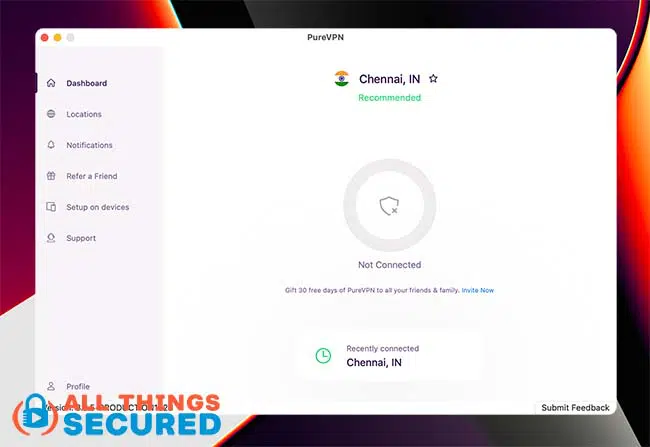
On the left you have your menu and in the middle a huge button to connect.
To choose from all the different country servers, simply click on “Locations” on the left menu.
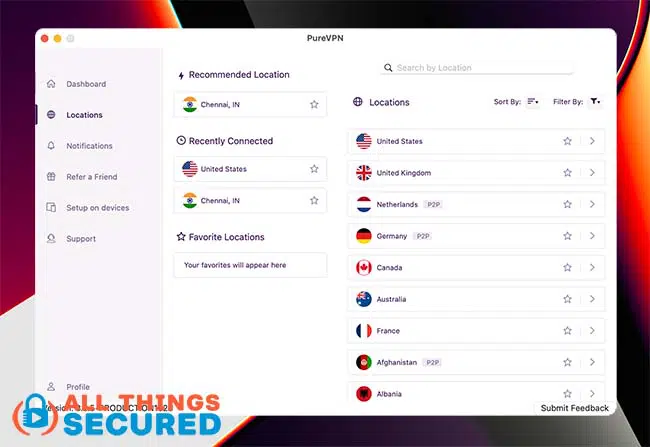
If you’ve used PureVPN for any length of time, you’ll know that this is a significant departure from the former design which focused on different “modes”.
The version shown here was much more scaled back than the former mode-based design and followed a familiar VPN app layout.
And just like every other VPN, you can make a couple of different changes in the settings.
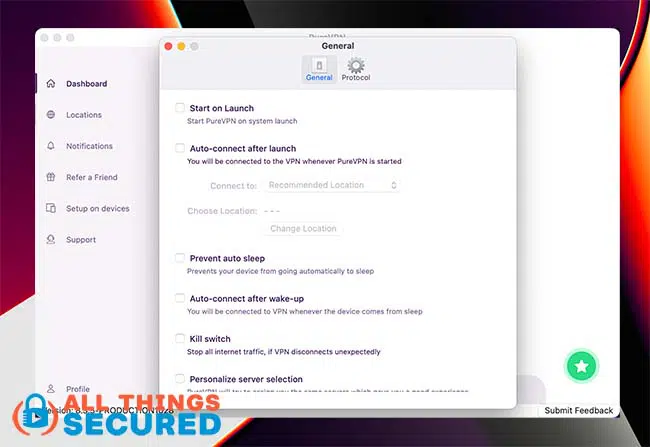
The “Protocol” settings let you choose between the available connection protocols. PureVPN’s macOS protocol setup guide explains that some require a protocol extension to be installed and enabled. Its representative clarifies that enabling OpenVPN involves approval in macOS System Settings. There is an extra setup step, but describing OpenVPN as unavailable on the Mac is misleading.
You can have PureVPN choose the best protocol for you or you can just go in and choose WireGuard yourself 🙂
It’s possible to create a support ticket within the app and manage your subscription – although in both cases it often bumps you over to your preferred internet browser to complete the task.
PureVPN Mobile App Review
In my prior testing, PureVPN’s mobile app looked different from its desktop app. These iOS screenshots show that earlier version, so use them as an illustration of my experience rather than a guide to the latest interface.
The home screen displays a massive power button to connect to the VPN.
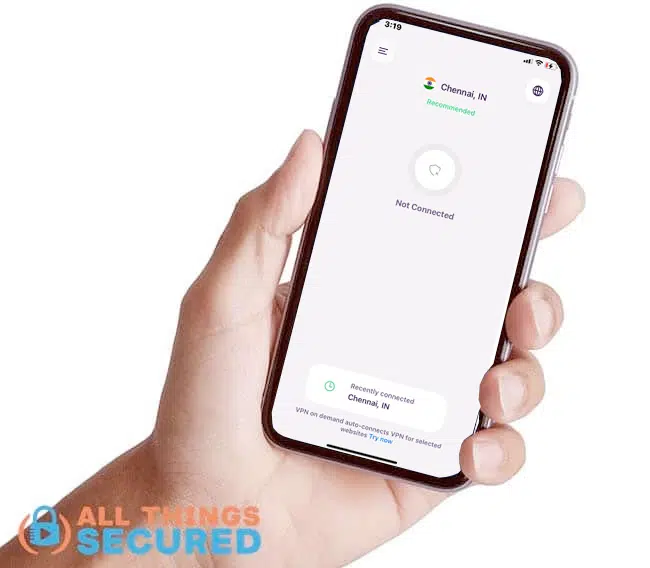
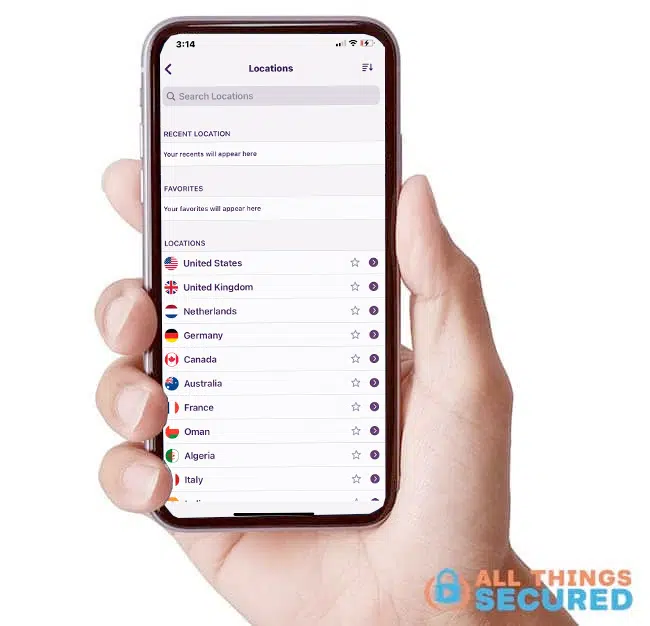
By clicking the globe on the upper right, you can choose from different server location options based on either a specific country, a specific city, or however you decide to search.
If you navigate to the mobile settings, you’ll find that the iOS version of the PureVPN app has significantly fewer settings options than the desktop app.
Other than choosing the protocol you want to use, the app language, and the On-Demand VPN setting…
…that’s about it.
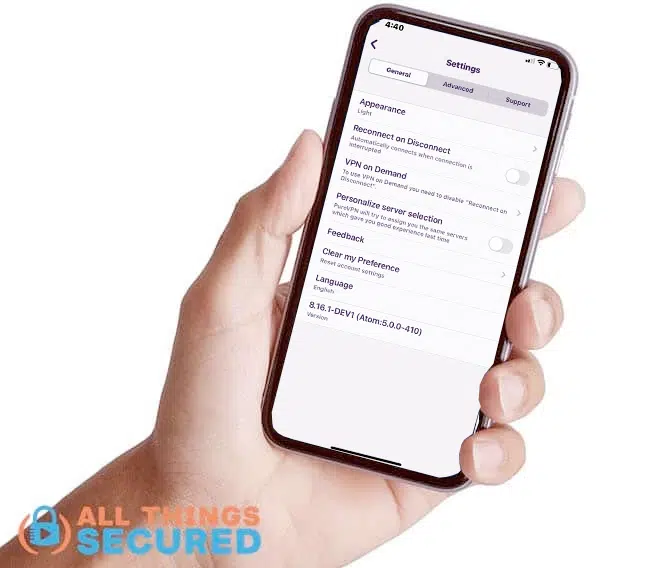
The various protocol options can be found under the “Advanced” tab if you’re curious.
Overall, it’s a slick mobile app that takes the confusion out of the process of connecting to a VPN server.
Can You Trust PureVPN?
I’ve said this many times before and I think it always bears repeating, especially when dealing with the shady world of virtual private networks.
The foundation of a good piece of security software is trust. And trust requires accountability.
That means looking beyond a privacy slogan and asking what evidence is available.
PureVPN offers its no-log assessment on request. The public page describes testing in February 2023, with follow-up validation in March and April, and says the auditor can return without advance notice. The full requested report has not been reviewed for this assessment. An audit provides evidence about its scope and period; it is not a permanent guarantee.
The company also publishes a public transparency report, currently headed Q2 2026, covering requests and its responses. PureVPN says no user logs were stored or shared. This is the company’s reporting, and its no-log claims should be read alongside the account and operational data disclosed in its privacy policy.
The history still matters. A 2017 FBI affidavit described PureVPN records that helped link a customer to originating IP addresses. That is a reason to examine today’s evidence carefully, rather than assume either that nothing has changed or that an audit settles every concern.
Remember this when you use any VPN service: traffic routed through the VPN passes through its servers. With a full-device connection, that can include all of your internet traffic; split tunneling and browser extensions can cover less.
A VPN changes who you trust with your connection. HTTPS still protects the contents of supported website connections, but you need to understand the VPN provider’s role and its privacy practices.
Speaking of the company behind the service…
…who owns and runs PureVPN anyway?
Who Owns & Runs PureVPN Anyway?
PureVPN is operated by GZ Systems, registered in the British Virgin Islands (BVI). Its privacy policy identifies the BVI entity. The service was previously based in Hong Kong.
A company’s place of registration and the locations of its employees are different things. A PureVPN representative says its team is distributed around the world, including team members in Pakistan. According to the representative, the team is not centralized in Pakistan.
The representative also says GZ Systems is not registered in Pakistan and therefore is not obligated to hand information to authorities there. I have not independently verified that legal interpretation, and would not treat it as a blanket guarantee about government requests.
For me, the useful question is how the company handles data and demonstrates accountability:
Are you comfortable with GZ Systems’ privacy practices and the evidence PureVPN makes available?
For some people the simple answer is “yes”, and that’s great.
The move from Hong Kong to BVI registration is relevant background. The audit materials, transparency reporting and actual data-handling practices are more useful to my decision than the countries individual team members work from.
Final Verdict | PureVPN Review
So what’s my final verdict in this PureVPN review?
They offer a user-friendly suite of apps that work well as a desktop app, browser extension, mobile app, and smart TV app.
It’s easy to install, and easy to use and includes premium, add-on features such as Port Forwarding and Dedicated IP for those that want it.
GZ Systems’ BVI registration is disclosed, and the audit-request page and transparency report give you more to examine. I still want evidence behind privacy and speed claims. If you are comfortable with that tradeoff, you can check out PureVPN here:
They offer a 31-day money back guarantee, so you can try them for a month to see if it works for you.
Be sure to subscribe to the All Things Secured YouTube channel!