The beauty of Privacy.com is the ability to secure your online purchases through the use of virtual cards. As consumers, this not only protects our physical card, which is annoying to replace, it also gives us a greater level of control over how these cards are used. But what if you want a different set of features, or you live somewhere Privacy.com isn’t available?
Privacy.com still serves consumers through its free Personal plan; Lithic handles its business-facing card infrastructure. The alternatives here are specifically for consumers. It’s still possible to get virtual cards through Privacy.com, but if their personal information requirements are too high or you’re looking for alternative ways to make payments online, these are the services to consider.
Towards the end, we’ll go into greater detail about how to choose the right virtual card service and the most common questions people have about them.
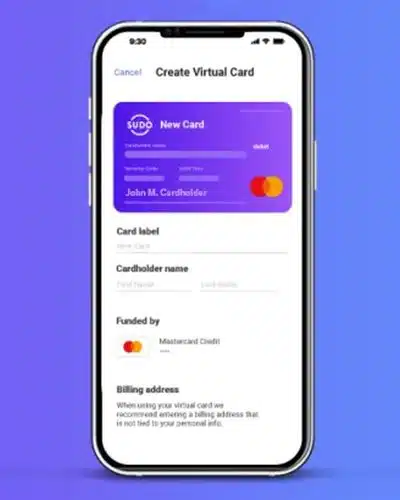
My Recommendation | MySudo
MySudo creates the best balance between ease of use and KYC (the personal information required to start using a virtual card).
The other options below serve different needs; the services on my watchlist are not recommendations based on hands-on testing.
Before choosing, check what a virtual card is and whether you can get one in your country. A credit card, a prepaid card and a wallet like Apple Pay protect your payment details in different ways. A service accepting purchases abroad does not necessarily accept customers who live there.
Note: Some of the links in this article may be affiliate links, which means that at no extra cost to you, I may be compensated if you choose to use one of the services listed. I only recommend what I personally have used, and I appreciate your support!
Best Privacy.com Alternatives for Consumers
The good news is that you have a number of good options to choose from to create a virtual card, both virtual credit cards and virtual debit cards. Some are free while others offer a subscription with other features besides just virtual payment cards.
Here are eight options to consider, from services that issue virtual card numbers to wallets that protect the card you already have. MySudo is my first choice for its pseudonym features, but your country and the way you pay matter.
MySudo | My Personal Choice for Pseudonym-Linked Payments (US Only)
“Sudo”…as in “pseudonym”. Get it? You can learn more about creating an online pseudonym here, but for now let’s focus on the payment side. I’ve switched to MySudo because I like having virtual cards alongside the separate identities I use online.
MySudo lets you organize email, phone and payment details into profiles called Sudos. On a paid plan, each Sudo can have one active virtual card: up to three on SudoGo or SudoPro, or nine on SudoMax. Phone allowances differ: Go includes one phone number, Pro three and Max nine. That makes the package useful beyond simply masking a card number.
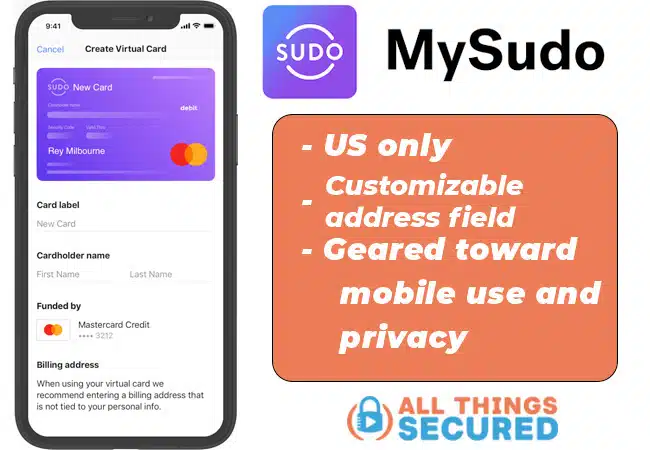
The unique aspect of MySudo is that your funding-card statement shows MySudo*Transaction instead of the merchant. The virtual card can use your Sudo name, keeping that purchase separate from the identity you normally give a store. Your bank still sees the charge and amount; this is useful separation, not complete anonymity.
You still need to verify your legal identity to set up cards. Purchases must be online or by phone, in US dollars, with US-based merchants that accept Mastercard; in-store and international transactions are not supported.
- Cost: Virtual cards are available on paid plans. US pricing starts at $1.99/month or $19.99/year for SudoGo (3 virtual cards); Pro is $4.99/month or $49.99/year (also 3 virtual cards), and Max is $14.99/month or $149.99/year (9 virtual cards).
- Limits: US only; virtual cards are not available to Canadian users. Spend is limited to $250 per transaction and $350 per day.
- MySudo Pros: Multiple Sudos with separate email, card and phone details according to your plan; a browser extension for desktop checkout can autofill virtual-card and billing information.
- MySudo Cons: Card payments incur 2.99% + $0.31 per transaction, with a $0.50 minimum fee stated on the plan page. Purchase limits make this a poor fit for large payments. Mobile setup is still part of the experience.
Klutch | Programmable Virtual Credit Card (Only US)
Similar to Privacy.com, Klutch Cards give you the ability to create single-use cards, create cards with monthly limits, lock your card and more. Klutch Credit is an actual credit card; the separate Klutch Spend product is funded in advance. I still recommend Klutch, even though MySudo is now my personal choice.
There’s even an option to create a virtual Klutch card for each member of your family (including kids!) where you can monitor, track spending and control limits.
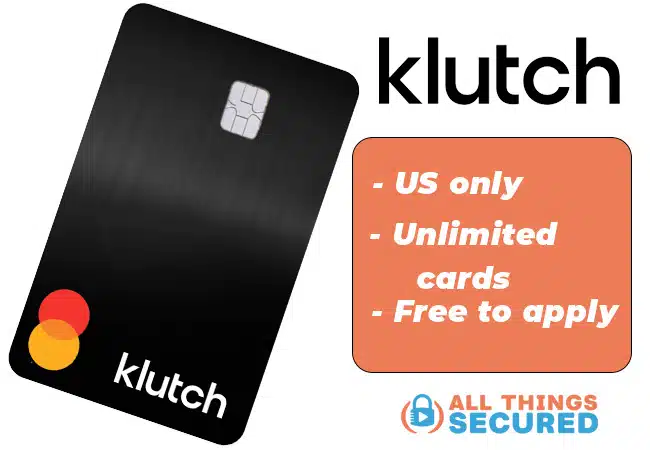
Overall, a Klutch card remains a good alternative to Privacy virtual cards for its programmable controls and reporting. If you’re looking for a card you can customize through mini-apps, this is worth considering. Card allowances and rewards now depend on the plan you choose.
There’s a pricing wrinkle: the homepage advertises Rewards at $10/month and Metal at $20/month, while the published terms list higher prices of $12 and $25. Metal is described as unlimited on the homepage, with fair-use qualifications, but the terms list 50 cards per month. I wouldn’t choose a paid plan on the assumption of unrestricted card creation.
- Cost: The Essentials plan is free, subject to application approval, and includes ten virtual cards per month. Paid plans add features and rewards; confirm the price shown in your application.
- Limits: US only
- Klutch Pros: Programmable controls, family budgeting and reporting; paid plans offer cashback and waive foreign transaction fees. Metal advertises 3% cashback on the first $1,000 of eligible monthly spending, then 2%.
- Klutch Cons: Seems to be geared more toward developers than the average consumer. The paid-plan prices and card allowances on its homepage conflict with its terms, so check the terms offered to you before committing.
Apply for a Klutch Card
Get a $20 bonus after approval and qualifying spend.
Revolut | Best International Alternative
Unlike several of the virtual card options presented here, Revolut serves residents of a variety of countries outside the US, including the EEA, UK, Australia and Japan, as well as the United States. This makes it an option for international payments, but Canada and India are not on that published signup list.
With Revolut, you can order a physical card for in-person payments and create virtual cards in the app. Reusable virtual cards can also work with Apple Pay or Google Pay. Card creation is subject to limits rather than being unlimited.
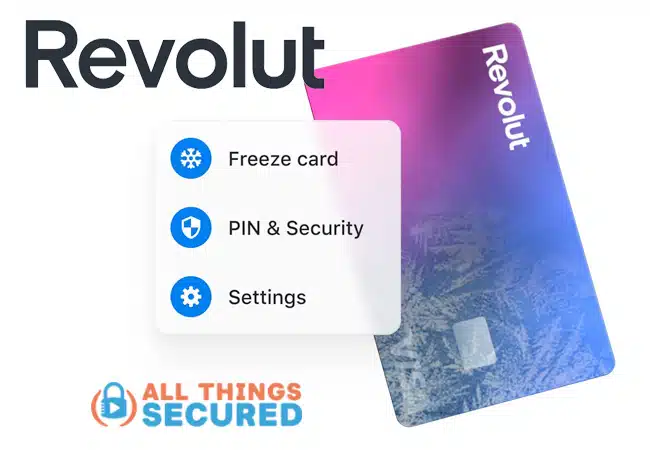
You can set spending limits, freeze a reusable card or create a disposable virtual card whose details change after a purchase. Use a reusable card for subscriptions: a disposable number is designed for one-time payments, not ongoing billing.
- Cost: Virtual-card creation is free. Plan subscriptions, currency conversion, physical-card delivery and other services can carry charges.
- Limits: US, Australia, EEA countries, Japan and other supported markets. Card allowances and available features depend on your region and plan.
- Revolut Pros: Available internationally, with reusable and disposable virtual cards and controls for managing payments.
- Revolut Cons: The fee structure varies by country and plan. Virtual cards draw from your Revolut balance, so you need to fund the account rather than simply attach any existing rewards card at checkout.
In the US, Revolut is a financial technology company, not a bank. Banking services are provided by Lead Bank, Member FDIC, subject to applicable terms.
Moon | Prepaid Crypto Alternative
Moon presents an interesting twist to the virtual card game by adding cryptocurrencies to the mix. Its current funding options include Bitcoin, USDT on Tron and USDC on Polygon, rather than requiring a direct connection to your everyday bank card.
The benefit is being able to use supported crypto for card purchases. Moon now distinguishes Moon X and Moon 1X: X draws from your Moon Credit balance and supports merchants in over 130 countries; 1X is a single-load prepaid card for US merchants.
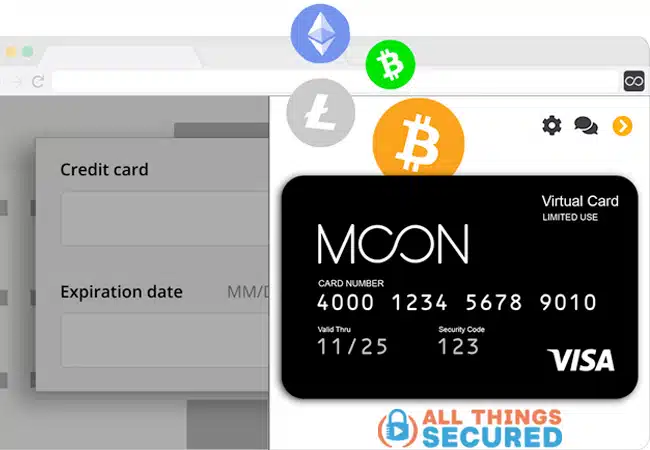
Be aware that there are limits on card creation, spending and eligible purchases. You’re using crypto-funded prepaid products, and customer eligibility is separate from the countries where a merchant can accept the card.
- Cost: Moon X: first card free, then $2.99 per additional card; purchases cost 1% with a $1 minimum. Moon 1X: $1.49 per card, with no transaction fee.
- Limits: Moon 1X is for US merchants; Moon X has wider merchant coverage. Product and country restrictions apply.
- Moon Pros: An option for spending supported crypto; Moon 1X has no transaction fee.
- Moon Cons: Prepaid funding, fees and restrictions differ between products. Moon X does not yet support mobile wallets; Moon 1X cannot be reloaded.
Apple Pay | Mobile Payment Solution
Although some people might not see it as a “virtual card,” the benefit of Apple Pay is that the merchant never receives your actual credit card number. Apple Pay uses a tokenized account number and a transaction-specific security code to authorize the payment, instead of sending the card number printed on your card.
You still rely on Apple’s payment system and your card issuer to handle the transaction securely. Apple explains that it does not store original card numbers in the Apple Pay system. Apple Pay itself adds no payment fee and lets you keep earning your card’s rewards, including points and miles; your issuer’s usual fees still apply.
- Cost: Free to use
- Limits: Apple users only, available only where Apple Pay is accepted.
- Apple Pay Pros: Use and protect your current credit card with all its benefits.
- Apple Pay Cons: It does not give you a disposable card number to type into any website; the merchant must support Apple Pay.
PayPal | Hide Your Online Purchasing
Similar to Apple Pay, PayPal allows you to shop online using your existing bank-issued credit card while keeping that funding-card number away from the merchant. Since PayPal is widely accepted online, this can be a convenient alternative when you want payment protection without managing another set of card numbers.
So, for example, when you make an online payment using your physical card number, the merchant (or payment processor) will store that number. When you choose to check out with PayPal using that same physical credit card, PayPal will never give them your actual credit card number.
Just like Apple Pay, you’re trusting an intermediary to handle the payment instead of giving the funding-card number directly to each store. Ordinary PayPal checkout does not let you configure merchant-locked or disposable card numbers yourself.
- Cost: Free for purchases without currency conversion; conversion charges and your card issuer’s fees may apply.
- Limits: Available where PayPal operates
- PayPal Pros: Widely accepted online.
- PayPal Cons: Ordinary checkout works within PayPal’s payment flow. Its separate card and Pay Later products have their own eligibility and terms; they are not the same as a general card-masking service.
Mercury (or others) | Digital Banks w/ Virtual Cards
In the world of FinTech, digital banks are emerging as a competitor to the traditional brick-and-mortar institutions you’ve used your whole life. In many cases, these banks offer unique features you might not find at your regular bank.
Mercury is one example. It offers business accounts and now also has Mercury Personal, with physical and virtual debit cards. Its standard personal subscription costs $240/year, although eligible business users can qualify for a waiver. Mercury is a fintech company; its banking services come through partner banks.
You can create a virtual debit card from your funded account in the dashboard and set daily or monthly spending limits. Check the personal account’s eligibility, fees and card limits before opening one just for virtual cards. For most readers, the wider banking service would need to be useful too.
There are numerous digital bank options that offer virtual credit cards based on your geographic location, so your best bet is to search “best digital bank [country]” or “online banks in [your country].”
Your Current Bank | Some Virtual Options Available
Finally, before you go out and setup a new account with one of these companies, it’s worth checking out your current bank to see if they offer virtual credit cards for payment solutions.
Major issuers such as Capital One offer virtual numbers on eligible cards, including store-specific options. If you bank with Citi, check your account for its available virtual-card features. Eligibility varies by card and account, so log in to see what you can actually use.

Why Use Virtual Cards?
As you consider which virtual card service you want to use, it’s important to understand how and why you’ll be using this kind of financial technology company. Answering these questions will go a long way to narrowing down your choices.
Here’s a quick breakdown of how that might look for you.
How You Make Payments Matters
How you make payments affects which provider you should choose. It’s worth asking yourself the following questions:
- Do you make online payments mostly from your mobile device or your desktop computer? If you tend to make purchases on your desktop, choose a solution that supports that workflow. MySudo’s browser extension can autofill card details, and Apple Pay supports compatible web checkout; neither is limited to shopping on a phone.
- Do you want control over your cards? Things like setting limits or creating single-use cards are not available with every provider.
- Do you still value loyalty programs? If your goal is to earn points or miles for a flight upgrade or vacation, check how purchases are funded and treated by your issuer. Many alternatives are debit or prepaid products. Apple Pay and PayPal can use an existing rewards card, while an eligible issuer’s virtual number can retain that card’s rewards. Funding a separate service may be treated differently.
There’s one more question you need to ask when thinking about virtual card services.
Why You Want a Virtual Card
Your “why” also plays a role in which solution is best for you. For example, you might want more control over your cards. Or perhaps you want to build more privacy as you spend online. Understanding virtual cards and online privacy helps you separate hiding a card number from hiding your identity.
If you simply want to limit the risk of having your physical cards stolen (and the hassle of getting new ones), that might also direct which online platform you use. In this case, your existing bank might be a good option to create virtual cards.
At the end of the day, it’s clear that each of these Privacy.com alternatives was designed for a specific user in mind. It’s important to find out which one fits your location, the way you pay and the information you want to keep private.
FAQ | Virtual Credit Cards
There are a number of common questions people ask about virtual credit cards that are worth answering here.
Creating an extra number on an existing card account is different from applying for new credit. Debit and prepaid services generally do not create a new credit line. Applying for a credit product such as Klutch Credit can involve a hard inquiry, and the underlying account’s balances and payment history can affect your credit score.
Some platforms offer free plans, trials or a limited number of cards. Others charge a subscription, card-creation fee, funding fee or transaction fee. Check all of those costs: a free card does not necessarily mean free payments.
Many virtual cards use Visa or Mastercard, but that does not guarantee acceptance everywhere. The provider can restrict countries, currencies and merchant types. Some cards are online-only; rentals, deposits and recurring payments may need a different card.
Virtual cards can reduce exposure of your underlying card number. Merchant locking, spending limits and the ability to close a number can make stolen details less useful, but the controls differ by provider.
They do not make every merchant safe or hide every piece of personal information you provide at checkout.
Capital One offers virtual numbers for eligible cards, though not every cardholder has access. Citi users should check their account’s current options. Features also vary across issuers such as Chase, Discover and American Express: a card in a digital wallet is not necessarily a disposable number you can enter at any checkout. Confirm availability before applying for a card for this feature.
It depends on the product. Revolut reusable virtual cards support Apple Pay and Google Pay. Privacy now offers Everywhere Cards for digital wallets on eligible paid plans. Moon X does not yet support mobile wallets. Do not assume that a disposable card can be added just because another card from the same company can.
Check where you live, not just where a card can make purchases. Privacy and MySudo virtual cards are US-restricted, and Canada and India are not on Revolut’s published signup-country list. An eligible local issuer or a supported checkout wallet may be more useful. Verify the specific product’s eligibility rather than assuming a US virtual-card app works worldwide.
Services We’re Watching
- Ivy by IronVest — coming soon / signup not yet verified: Ivy is a separate consumer product from the IronVest team, combining masked virtual cards with AI scam warnings. I haven’t yet been able to create an account, so I’m keeping it on the watchlist for now.
- Cloaked Pay — limited access: Cloaked’s virtual cards are another service I’m watching. Access is currently limited, with a waitlist for eligible subscribers, so I’m not including it among the main recommendations yet.

Cool thanks for this list. I’ve read a few others and always walk away either no clearer or more confused about which service to use. They all pretty much list the SAme sites, but this one explains them better, for my learning style ANYWAY. I feel like the apples to apples comparison is better here. I feel confident in which direction to go. And I don’t remember reading about klutch before so nice work bringing something new to the mix! Thanks for your time writing this. It felt new and fresh and not like a regurgitation of other lists like so many listicles out there. 👍😄🙏.
🌷 For 👇
Thanks so much, Aly! I definitely try to create the most useful content and I’m glad it helped you. 🙂
Can you tell me which offers a Visa virtual card? THAT’S all Costco takes. Since I’m 93, that’s about the only place I do in-person shopping..otherwise, I use my phone.
I use Skrill virtual credit cards. They cost $2.50 each to create. They are reusable and you can set limits on them. I use them to free trial spam so i set it at $1 dollar. What is really cool is that alot of streamers don’t even recognise the numbers on the next sign up.
don’t forget to spoof your laptop’s MAC address with technitum freeware in between signups 😉
Apparently klutch has state restrictions. Not available in virginia.
I didn’t realize that. Thanks for letting me know and sorry for the inconvenience, Kelly.
Thanks Josh, great posting.
Do any of these cards allow you to let it be used only one time then deactivates?
Here is an example of use:
Allow $100 limit –> purchase merchandiser from LULU for $90 –> Card deactivates –> turn the card on for another $200 purchase –> make another purchase for $90 –> card deactivates –> reactivate card for another $80 purchase –> …
This is much safer!!! It deactivates each time after use and needs reactivating before the next use.
many thanks.